The live video call takes place in the Flettons Plus app, our own app. No Zoom, WhatsApp or FaceTime needed.
30 minutes£195
60 minutes£395
The video call takes place in the Flettons Plus app, our own app, and works wherever your phone or tablet has a working internet connection. A 5G connection gives a higher-quality call.
4.9 / 5 from 270+ reviewsFully insuredWritten by your surveyor, approx. 10–14 working days after inspection
Marked-up photographs
See exactly what the surveyor means.
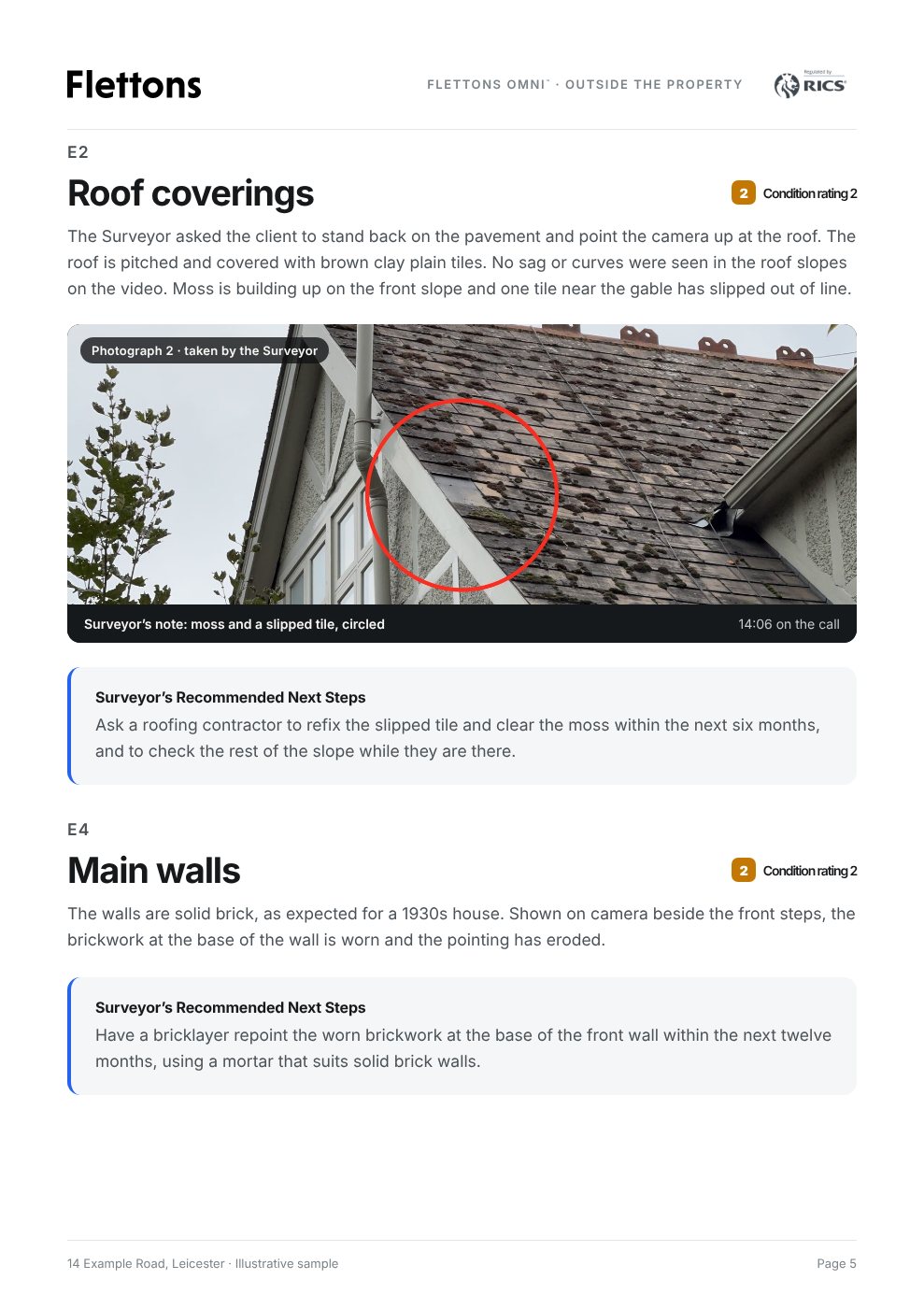
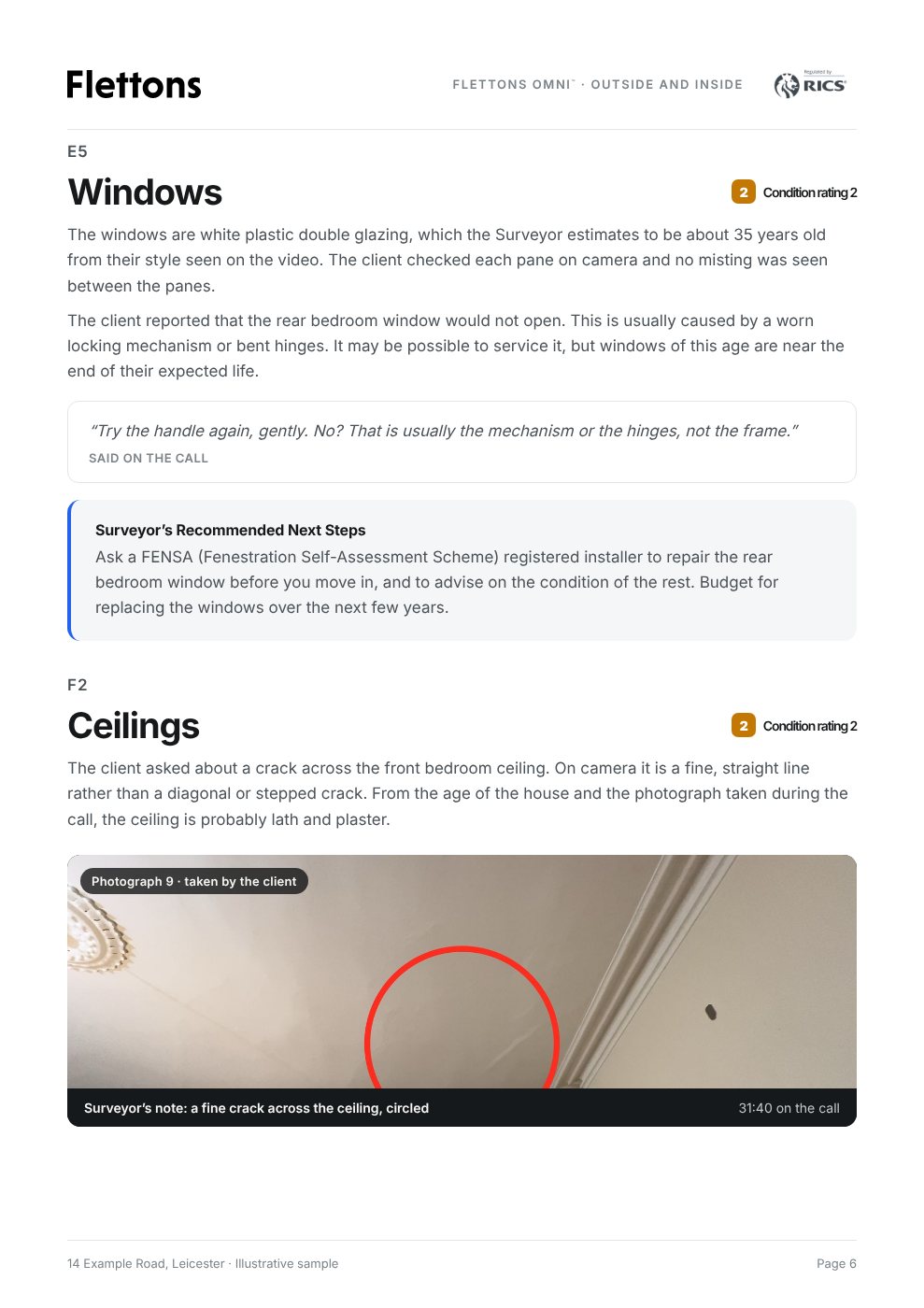
During the call the surveyor captures stills and circles what matters: a slipped tile, a stain, a crack. You see the marked-up photo on your phone straight away, and the same photo goes into your report.
Coverage
Surveyors across England and Wales.
Flettons surveyors work from Cornwall to Northumberland. With Flettons Omni™, an experienced surveyor can be by your side wherever the property is, as long as your phone has a connection.
Flettons Omni™ is a remote inspection service. It is not a RICS Level 2 or Level 3 Home Survey. The surveyor
sees only what the camera shows, so it is subject to the limitations of video-based assessment. If the
property needs a full inspection in person, compare our survey levels.
Step 1 of 4
What are you looking for?
A surveyor live on video, looking at specific areas with you
An experienced surveyor by your side, live on a video call in the Flettons Plus app, our own app. You are at the property with your phone; the surveyor guides the camera and talks you through what can be seen. Afterwards the surveyor writes up a report on the topics discussed. Flettons Omni™.
A surveyor at the property, inspecting it in person
A RICS Level 2 or Level 3 survey: the surveyor visits and inspects the whole property, then writes a full report. Best if you are buying and want the full picture.
Choose the length of the live inspection, then pick a date and time and pay to confirm it. The surveyor joins you on a video call in the Flettons Plus app, our own app, while you are at the property. Afterwards the surveyor writes up a report on the topics discussed and approves it.
30 minutes
30-minute video call
Typically a couple of rooms, or the outside of the building.
Flettons Omni™ 30. Up to 30 minutes of live remote professional property inspection assistance, including a written report within three working days.
£195Total price
A live inspection on a video call in the Flettons Plus app, our own app, with a surveyor who has at least 10 years of relevant experience
Professional guidance on the visible condition of the property
The Flettons Omni™ Report, written up on the topics discussed and approved by the surveyor
A written report within 3 working days of the inspection
Typically most of the building, or the whole building.
Flettons Omni™ 60. Up to one hour of live remote professional property inspection assistance, suitable for customers needing more time to discuss a property's visible condition, including a written report within three working days.
£395Total price
A live inspection on a video call in the Flettons Plus app, our own app, with a surveyor who has at least 10 years of relevant experience
Professional guidance on the visible condition of the property
The Flettons Omni™ Report, written up on the topics discussed and approved by the surveyor
A written report within 3 working days of the inspection
Expertise by your side, when you want more clarity.
Some moments call for a second pair of trained eyes. Flettons Omni™ puts an experienced surveyor on the call with you, so you can ask questions and understand what you are looking at, there and then.
At a property viewingThe surveyor joins you live as you look round, first viewing or second.
Before making an offerUnderstand the visible condition before you decide what to offer.
Buying from a distanceA friend or relative holds the phone while the surveyor guides them.
After a survey flags somethingShow the surveyor the item in the report and talk it through.
A specific concernA crack, a damp patch, a leak or a tired roof.
A new-build homeLook over the finish before you raise items with the builder.
Planning works or an extensionTalk through the condition before plans are drawn up.
Weighing up a builder’s quoteShow the work quoted for and understand what is proposed.
Renting or inheriting a homeSee the condition clearly before you sign or decide what to do next.
Flettons Omni™ is expert guidance by live video in our own Flettons Plus app, not a survey. If you are buying and want the whole property inspected in person, compare our survey levels.
An example: a 30-minute call at a viewing
“We’re viewing at four. Can you look round with us?”
You book 30 minutes for the time of the viewing. When you arrive, you open the Flettons Plus app and tap Join, and the surveyor joins you on the video call, guiding you round and asking you to point the camera where it matters.
Surveyor
Let’s start outside. Point the camera up at the roof. What can you see?
You
There’s some green on the tiles near the chimney.
Surveyor
That looks like moss. It holds water, so the roof would benefit from a clean. Can you see any tiles that look out of place or slipped?
You
One on the left looks lower than the rest.
Surveyor
Hold there and come a little closer. That one is worth a roofer looking at, and I’ll note it for the report. Let’s head inside to the bay window next.
Afterwards, everything you looked at together is written up in the Flettons Omni™ Report, with the surveyor’s recommended next steps.
The live inspection
You hold the phone. The surveyor guides it.
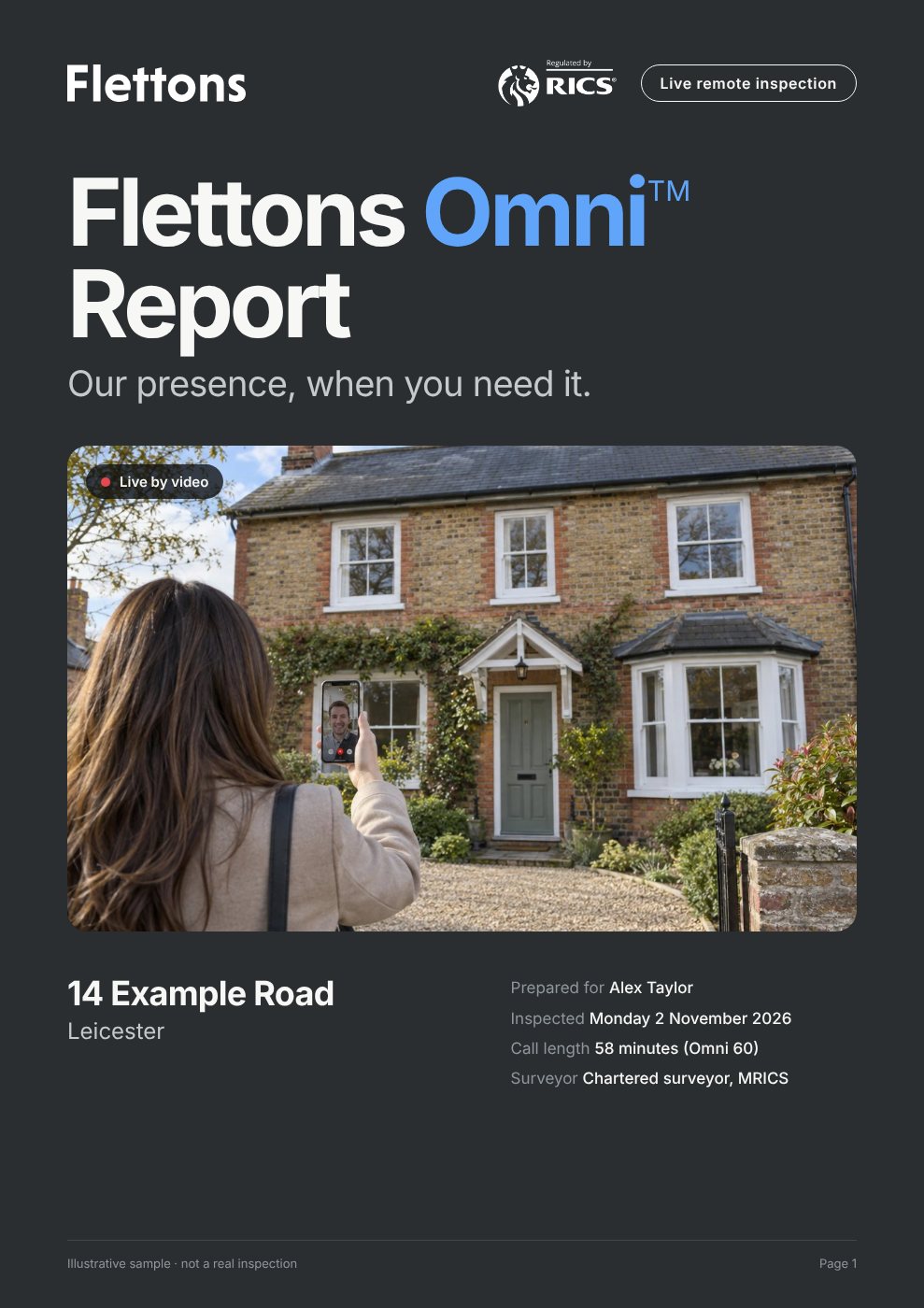
You walk round the property with your phone, on a video call in the Flettons Plus app, our own app. The surveyor watches live on screen, tells you where to look and explains what can be seen.
Guided, area by area
The surveyor works through the areas you care about, in order.
Shown where to point
Closer, higher, tilt down: you are guided at every step.
Explained as you go
Plain words on what can be seen, then written up afterwards.
How it works
Five steps. Start to finish.
01
Choose
30 or 60 minutes.
Thirty minutes typically covers a couple of rooms or the outside of the building. Sixty minutes, most of the building or all of it.
02
Pick a time
A date and time that suits you.
Choose a free slot in the calendar. It is held for you while you pay.
03
Pay to confirm
Booked. Your call is in our app.
Pay securely online and the time is yours. Your call appears in the Flettons Plus app, our own app, with a short list of what to have ready.
04
Walk round together
The surveyor guides. You hold the phone.
At the booked time, open the Flettons Plus app at the property and tap Join. The surveyor joins you live on the video call, says where to point the camera and talks you through what can be seen as you go.
05
Read the report
The Flettons Omni™ Report.
The surveyor writes up the topics discussed, with recommended next steps, approves it and sends it to your Flettons Plus profile within three working days.
After the live inspection the surveyor writes up a report on the topics discussed, approves it and sends it to your Flettons Plus profile within three working days.
Flettons Omni™ Report14 Example Road, LeicesterPage 1 of 11
Scroll to read the sample
Flettons Omni™ Report14 Example Road, LeicesterPage 1 of 11
Scroll to read the sample
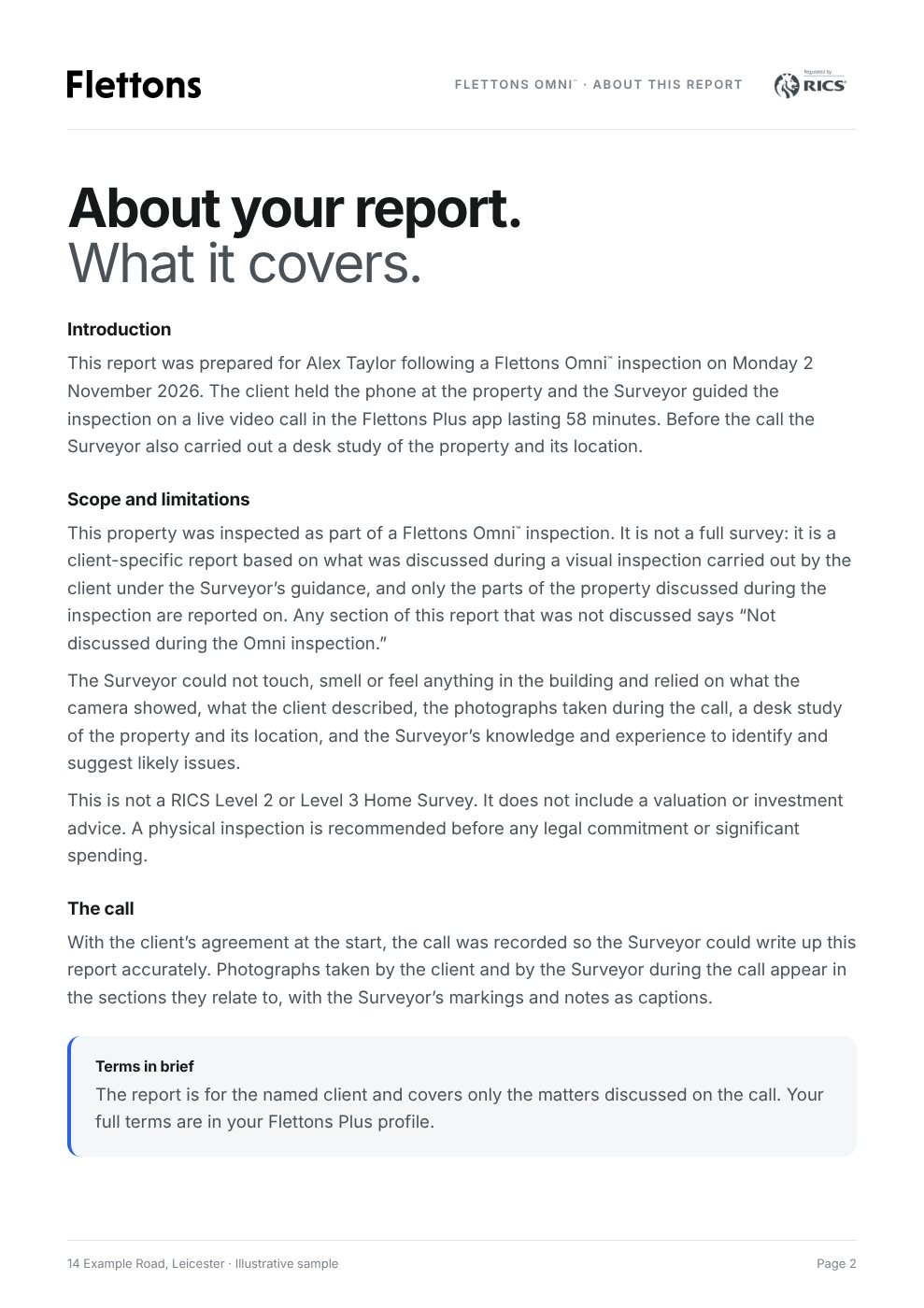
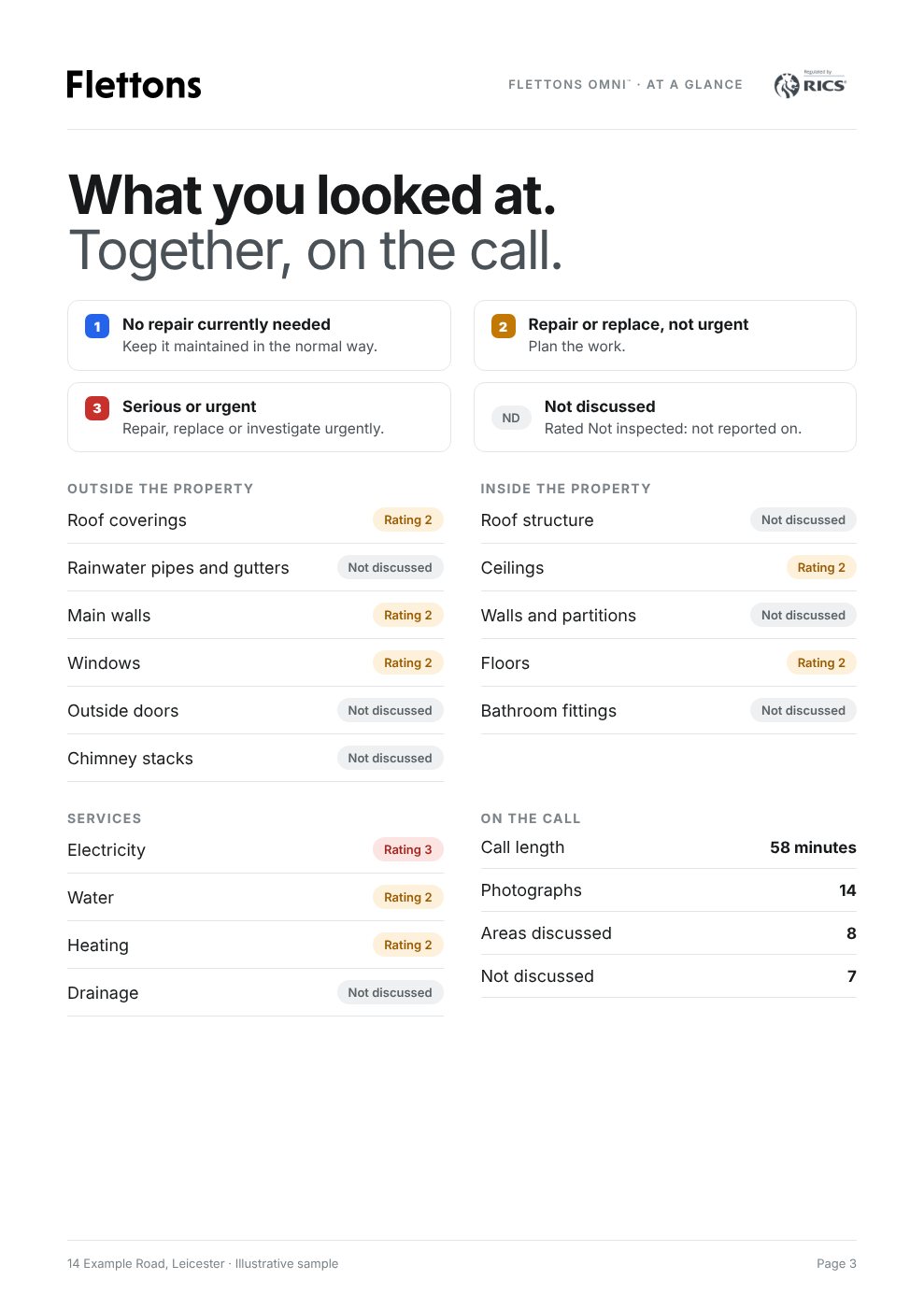
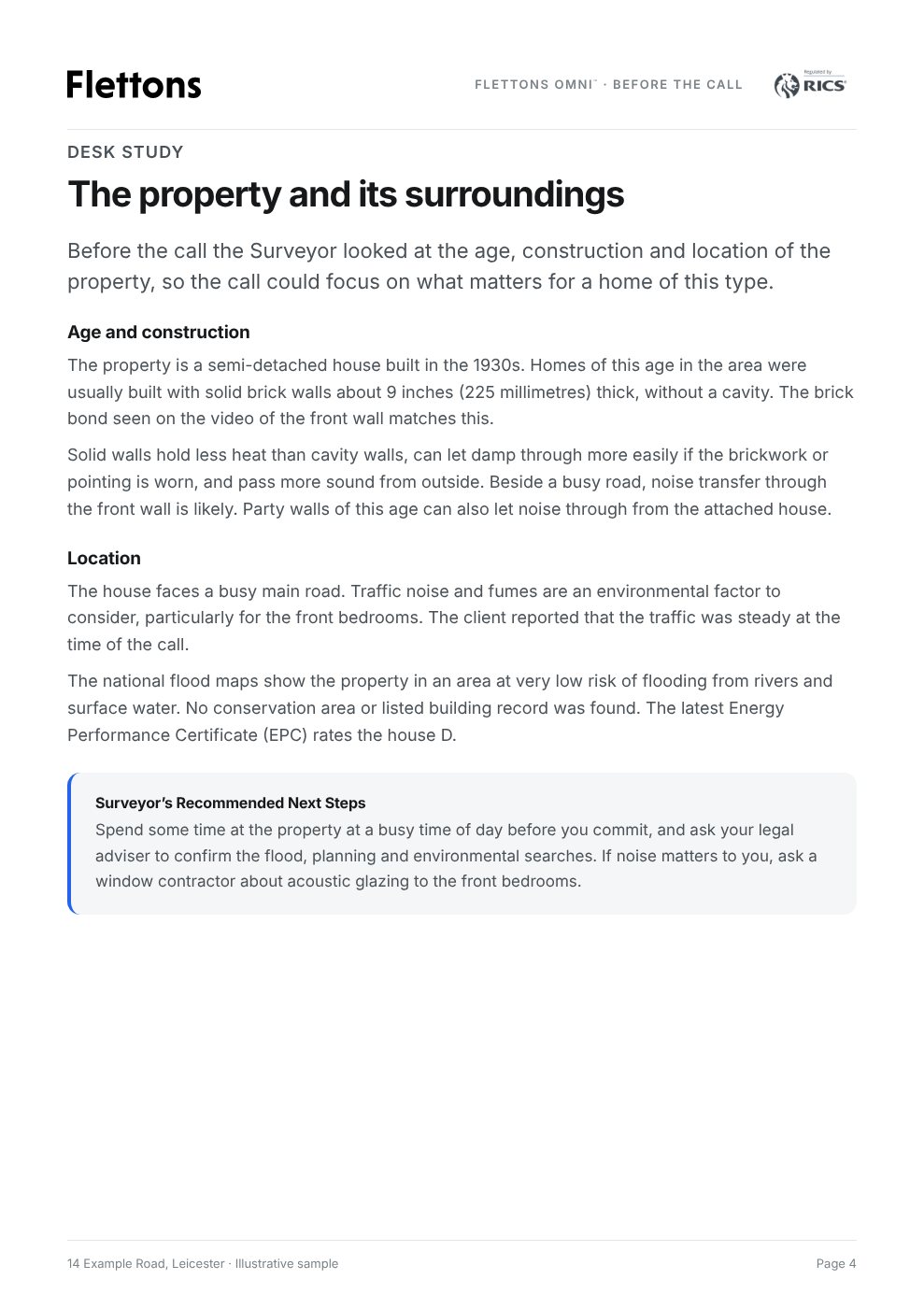
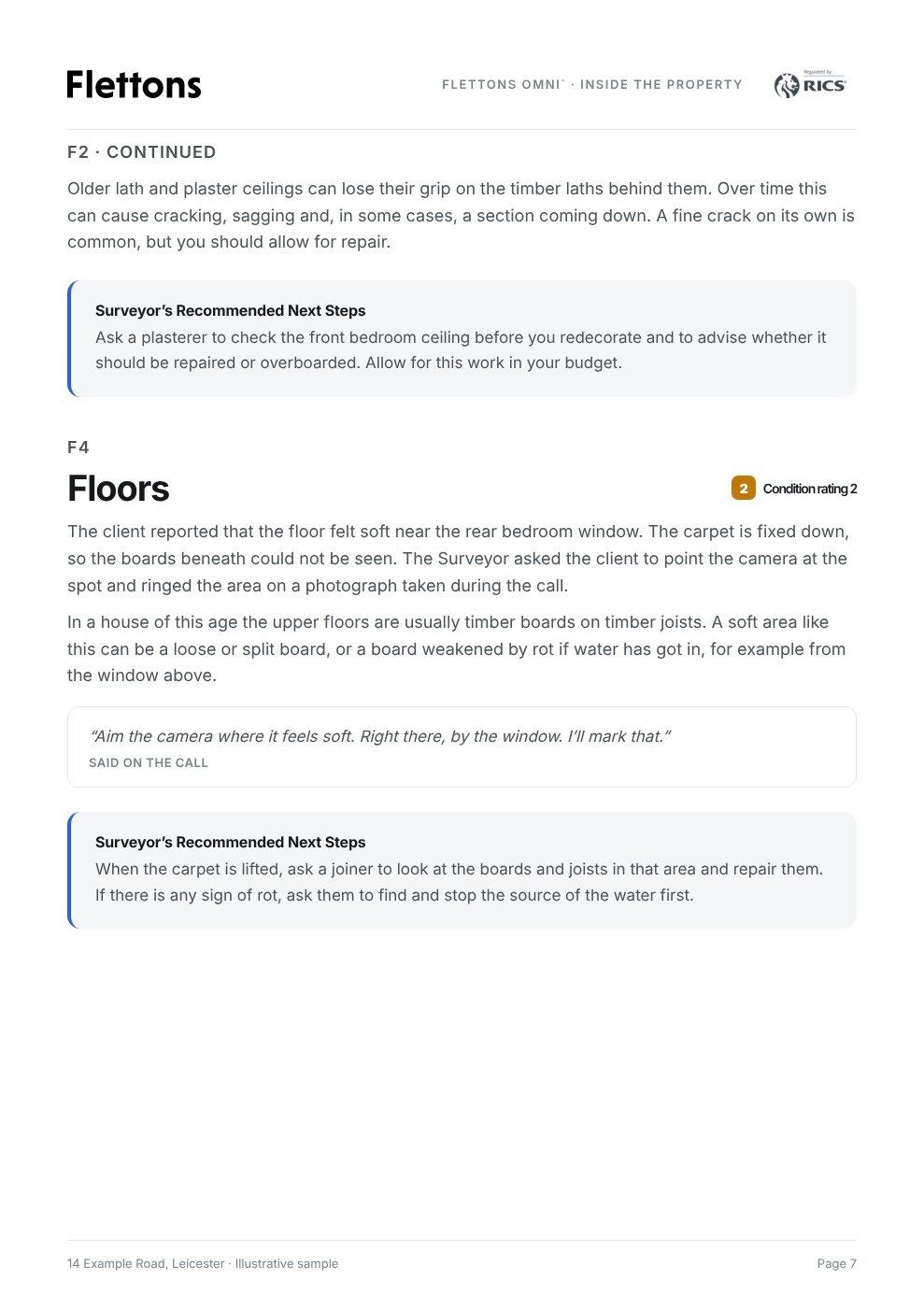
Scroll the report inside the screen. Sample pages from a fictional property.
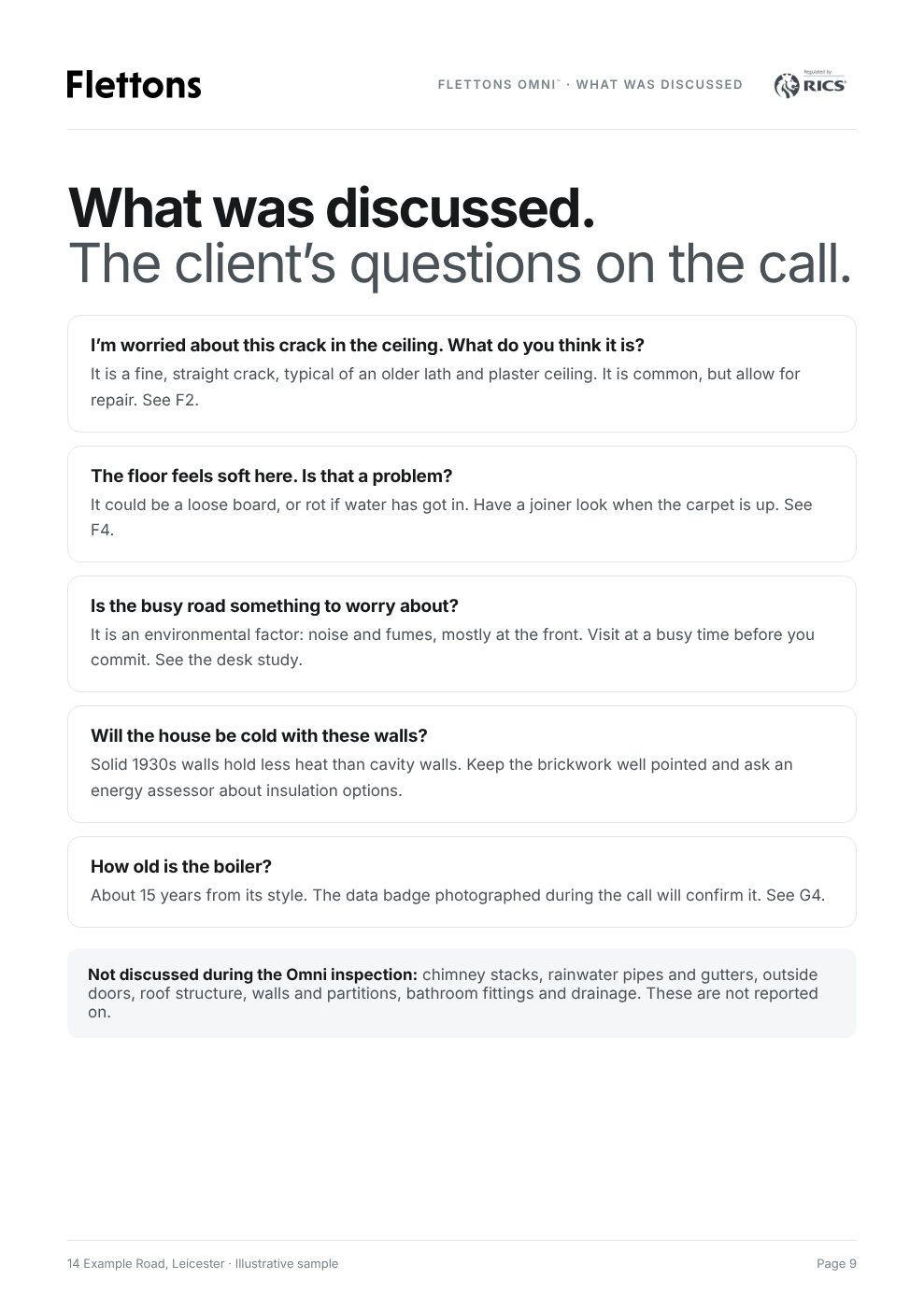
A cover and scope that say how the inspection was carried out: live on a video call in the Flettons Plus app, with you or someone you nominated at the property
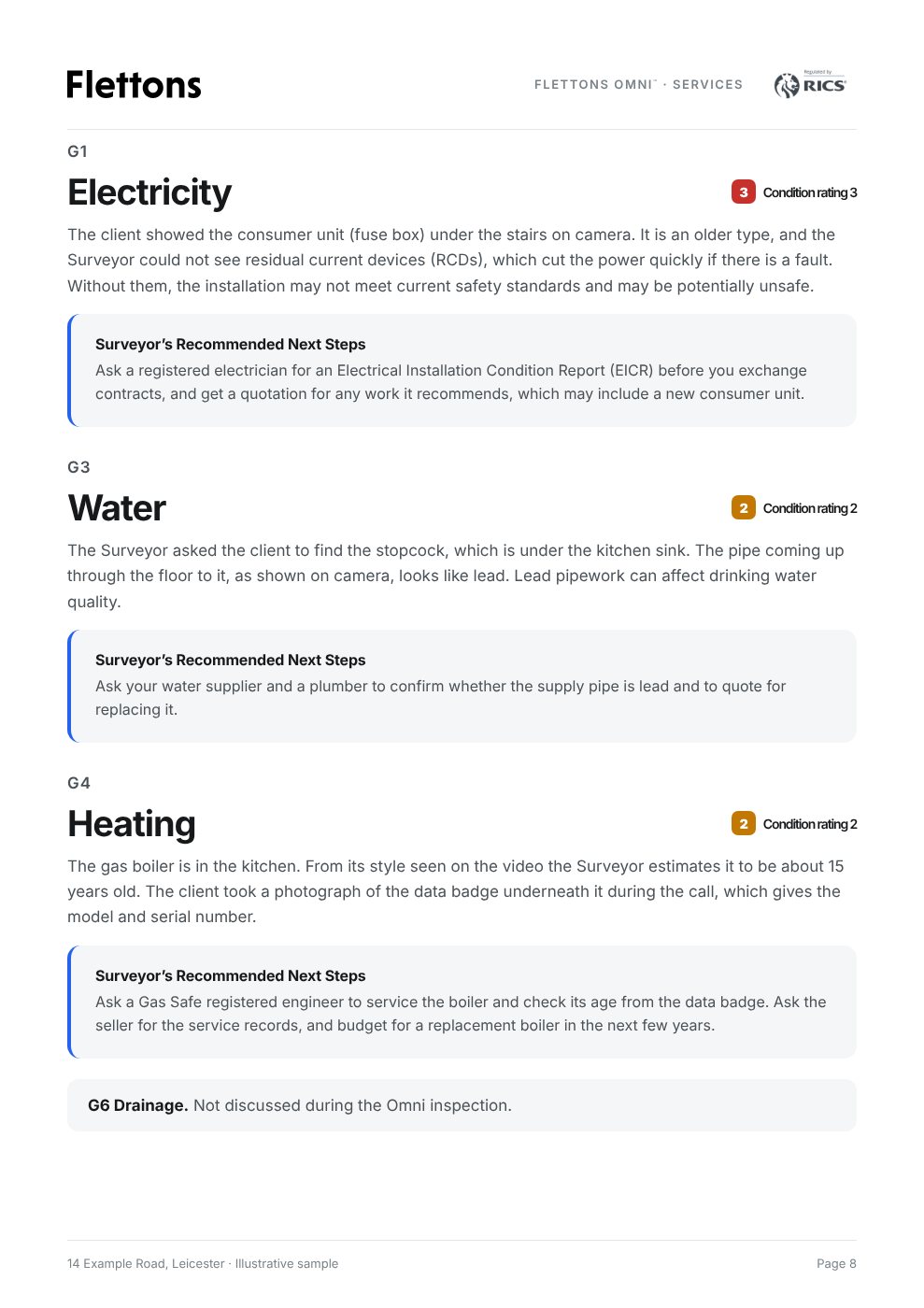
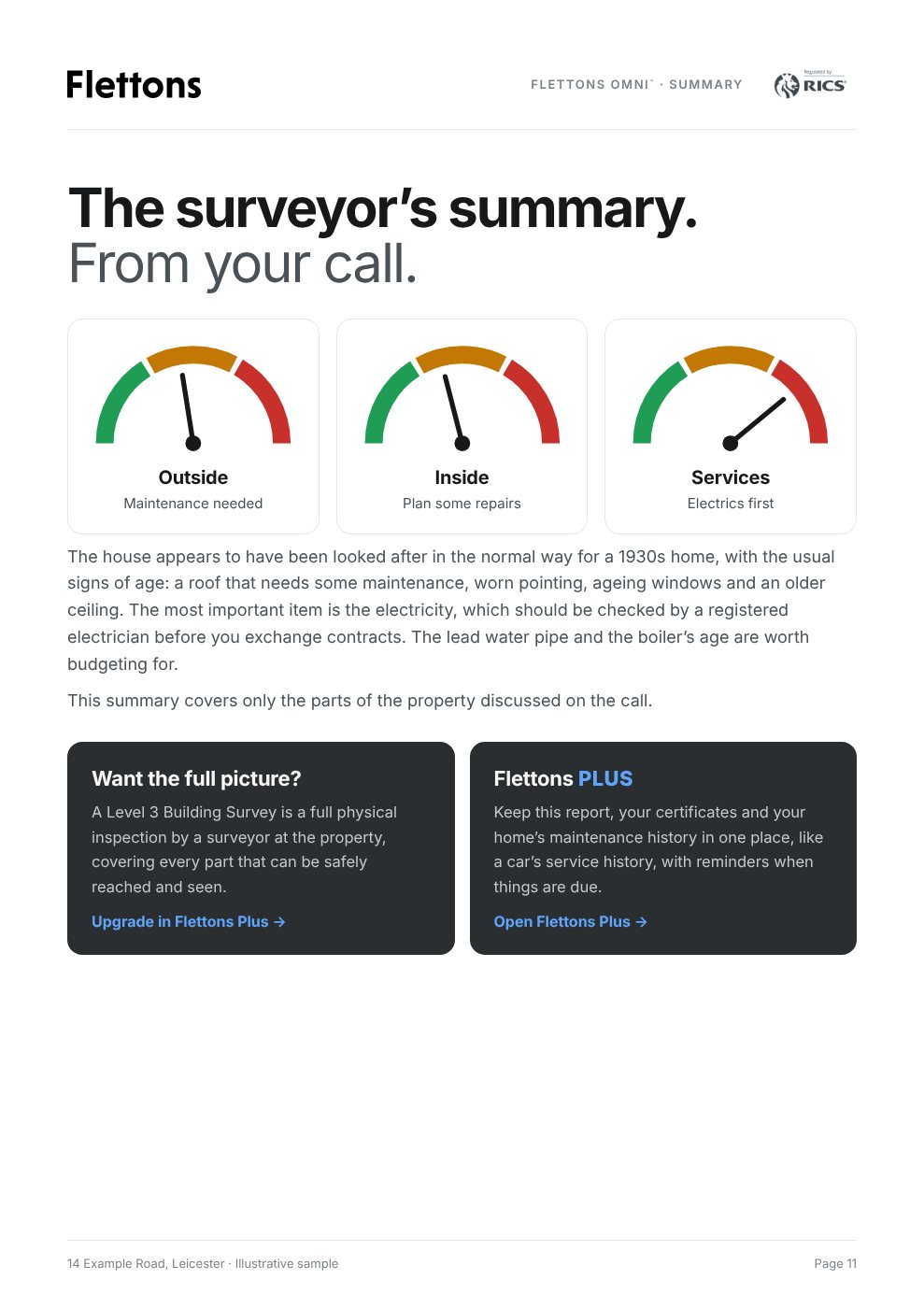
The surveyor’s observations on the visible condition of the parts shown, set out like a Flettons survey: outside, inside, services, grounds and surroundings
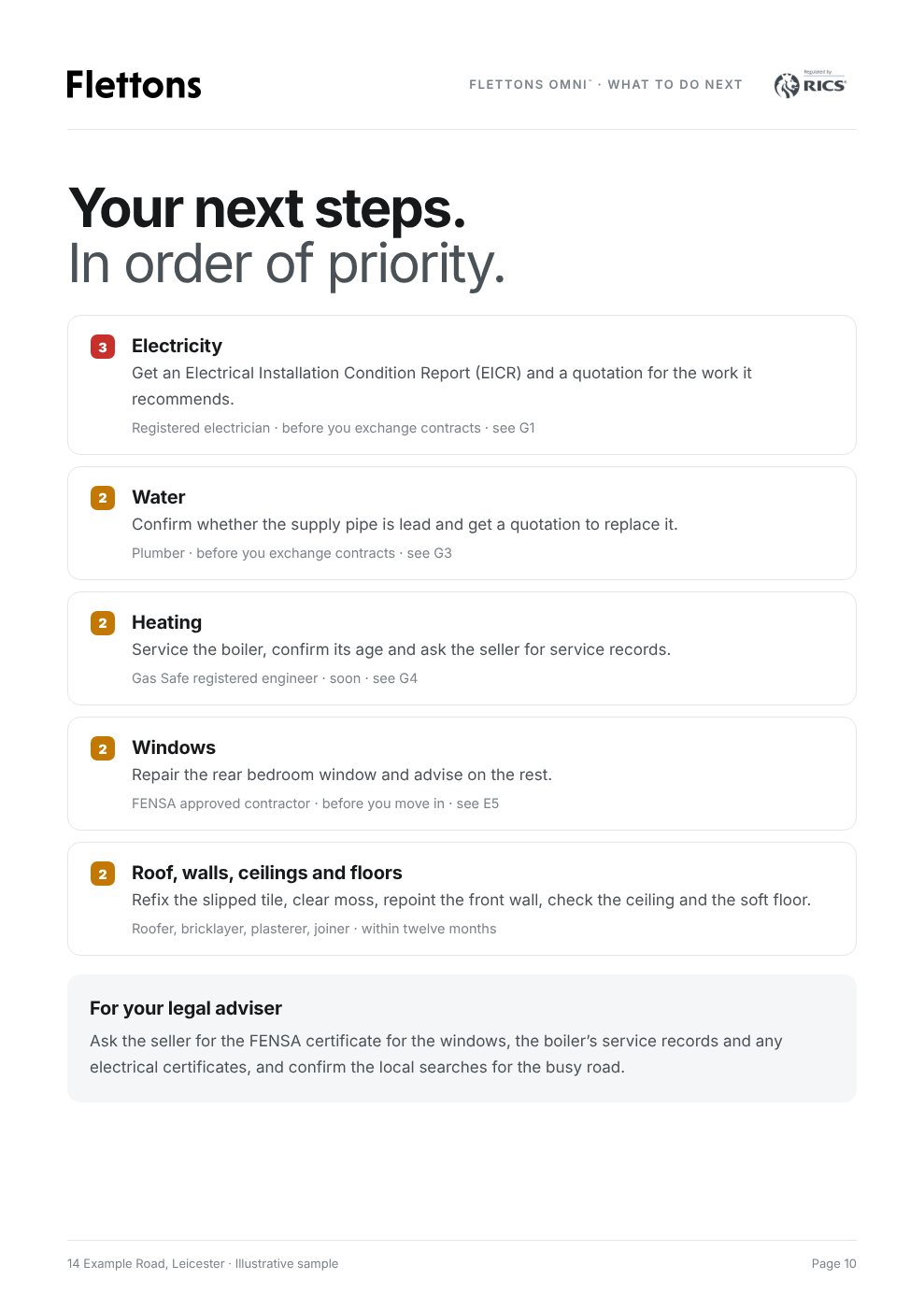
The surveyor’s recommended next steps for each area discussed: what to do, by which trade, and when
Matters to raise with your legal adviser and any further investigations the surveyor recommends
A plain note of what could not be seen on camera, so you know exactly what the report covers
Approved by the surveyor before it reaches you, and kept in your Flettons Plus profile
The Flettons Omni™ Report is not a RICS Level 2 or Level 3 Home Survey and is not a substitute for a physical inspection, which is recommended before any legal commitment or significant spending. It does not include a valuation or investment advice. Compare survey levels →
What a live remote inspection can and cannot do
The surveyor guides the camera and comments on what can be seen. Flettons Omni™ is not a RICS Level 2 or Level 3 Home Survey and is subject to the limitations of video-based assessment:
Only what the camera shows can be assessed; the surveyor cannot touch, test or measure.
Picture quality, lighting and the connection affect what can be seen. The call takes place in the Flettons Plus app, so you need the app on your phone or tablet.
Roof spaces, high-level areas and hidden parts are seen only where it is safe for the person at the property to show them.
Where something needs a closer look, the report says so and suggests the right next step.
Flettons Omni™ does not include a valuation or investment advice. The surveyor cannot say what the property is worth or whether it is a good investment.
We’d like to use Google Analytics cookies to see how people use our website, so we can improve it. They are off unless you accept. Cookie policy